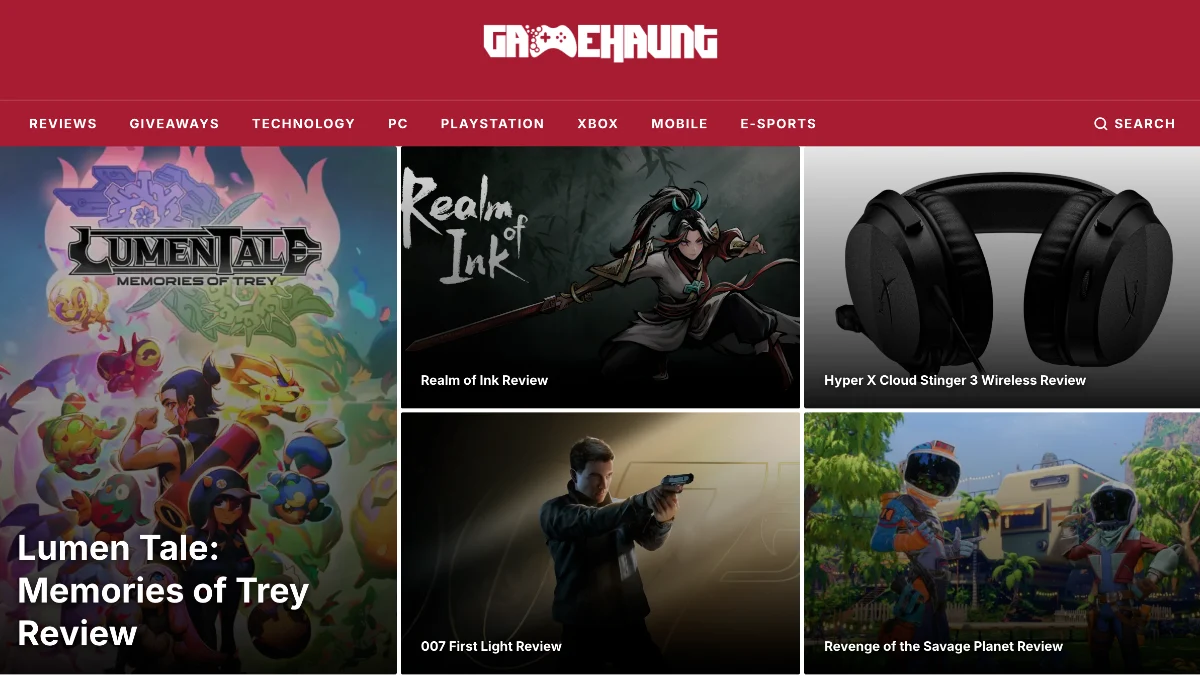
How I decoupled a 13-year-old gaming news site from its WordPress frontend, rebuilt it with Astro SSR, and preserved every backlink, ad placement, and editorial workflow along the way.
The Site That Could Not Go Down
GameHaunt has been publishing gaming news, reviews, and pop culture coverage since 2012. For most of that time, it ran on Zeen, a WordPress theme that had accumulated the kind of technical debt you would expect from a site old enough to have covered the PS4 launch. Page loads were slow. The theme was hard to modify. The frontend and backend were so tightly coupled that even small design changes meant touching PHP templates that had not been meaningfully updated in years. WordPress plugin bloat and theme lock-in are two sides of the same problem: the more you build inside the monolith, the harder it becomes to change anything without breaking something else.
But here is the thing about a site that has been online for 13 years: it has backlinks. It has search rankings. It has readers who visit directly. It has an ad system that pays the bills. You cannot just rebuild it. You have to transplant it while it is still running. Content debt is what happens when you let those URLs rot; a CMS migration done right preserves every one of them.
The editors, meanwhile, had a different constraint. They knew WordPress. They had workflows built around the block editor, custom post types, and the media library. Asking them to learn a new CMS was not on the table. The brief was this: keep WordPress as the content backend, replace everything the public sees, and do not break a single URL. This is the same tension I have written about before: editorial workflows are the hardest thing to change in any migration, and content modeling is what makes or breaks the handoff between backend and frontend.
What the Migration Delivered
The core architecture is a headless WordPress setup with an Astro frontend:
WordPress (wp.gamehaunt.com) -> WPGraphQL -> Astro SSR (Node.js) -> Nginx -> Visitor
An editor publishes a post in the WordPress admin exactly as they always have. WPGraphQL exposes that content through a GraphQL API. The Astro frontend fetches it at request time, renders it server-side, and serves the page through Nginx. The editor never touches the Astro codebase. The reader gets a modern, fast site. Neither side knows the other exists.
Behind that clean separation, the system handles a surprising amount of complexity:
- Content is fetched live from WordPress on every request via WPGraphQL, with a 10-second timeout and an AbortController to prevent hung connections from blocking the render.
- A static fallback dataset of 31 articles kicks in when WordPress is unreachable. The homepage still renders. Readers still see content. The
takeWithFallback()pattern wraps every GraphQL call so the site degrades instead of crashing. - Thirteen ad placement slots serve creatives across the homepage, article pages, and sidebar, with mid-content injection that inserts an ad between paragraphs in the article body.
- A custom ad tracking system logs impressions, viewability via IntersectionObserver, and clicks to a Supabase
ad_eventstable, with 25+ bot user-agent patterns filtered out before the event is recorded. - Legacy URL redirects in Astro middleware preserve 13 years of SEO equity. Old WordPress category paths like
/category/pc/issue 301 redirects to the new/pc/pattern. - HTML sanitization via
sanitize-htmlstrips anything dangerous from WordPress content before it hits the page, with an explicit iframe allowlist andnoopener/noreferreron every link.
Architecture at a Glance
The stack is deliberately simple. A single Node.js process runs the Astro SSR server on port 3000, managed by PM2. Nginx sits in front for TLS termination and reverse proxy. No Docker, no containers, no serverless functions.
- Frontend: Astro 6.3.8 with the Node.js standalone SSR adapter
- Styling: Tailwind CSS v4 via PostCSS, Inter and Source Serif 4 from Google Fonts
- CMS: WordPress with WPGraphQL at
wp.gamehaunt.com/graphql - Database: Supabase PostgreSQL for ad event logging
- CDN:
assets.gamehaunt.comfor static assets - Hosting: Self-hosted Ubuntu VM, PM2 process manager, Nginx reverse proxy, Let's Encrypt SSL
- CI/CD: GitHub Actions: CI runs type-check and build on every PR; CD rsyncs to the VM and reloads PM2 on push to
main - Type Safety: TypeScript in strict mode across all
src/lib/*.tsmodules
The operational philosophy is worth naming: this is a monolithic SSR application, not a distributed system. One process, one server, one deployment target. For a site of this scale, that simplicity is a feature. There is no cold-start latency, no function timeout to worry about, no orchestration layer to debug when something goes wrong at 2 a.m. The performance payoff shows up directly in Core Web Vitals, where server response time is the first domino.
Deep Dive 1: The Fallback Pattern That Keeps the Site Alive
The hardest problem in a headless architecture is not the happy path. It is what happens when the CMS is down. If every page render depends on a live GraphQL call to WordPress, then a WordPress outage takes down the entire public site.
The takeWithFallback() pattern solves this with a single rule: every WPGraphQL call must have a static fallback, and no call is allowed to throw.
// src/lib/wpgraphql.ts
export async function wpgraphqlFetch<T>(
  query: string,
  variables?: Record<string, unknown>
): Promise<T | null> {
  const controller = new AbortController();
  const timeout = setTimeout(() => controller.abort(), 10_000);

  try {
    const res = await fetch(WP_GRAPHQL_ENDPOINT, {
      method: "POST",
      headers: { "Content-Type": "application/json" },
      body: JSON.stringify({ query, variables }),
      signal: controller.signal,
    });

    if (!res.ok) return null;
    const json = await res.json();
    if (json.errors) {
      console.warn("[wpgraphql] GraphQL errors:", json.errors);
      return null;
    }
    return json.data as T;
  } catch (err) {
    console.warn("[wpgraphql] Fetch failed:", err);
    return null;
  } finally {
    clearTimeout(timeout);
  }
}
The function never throws. It returns null on any failure: network error, HTTP error, GraphQL error, timeout. The caller then falls back to static data. On the homepage, that means 31 hardcoded articles in src/data/articles.ts. The page renders. The navigation works. The ads still serve. A reader who visits during a WordPress outage sees a slightly stale homepage instead of an error screen.
The 10-second timeout with AbortController is the other half of this. Without it, a hung GraphQL connection blocks the Node.js event loop until the OS-level TCP timeout kicks in, which can be minutes. Ten seconds is long enough for WordPress to respond under normal load and short enough that a queued request does not cascade into a stalled server.
Deep Dive 2: Preserving 13 Years of SEO Equity
A site that has been online since 2012 has URL patterns that search engines have indexed, other sites have linked to, and readers have bookmarked. Changing those URLs without redirects is the fastest way to torch your search traffic.
GameHaunt's old WordPress theme used category paths like /category/pc/, /category/playstation/, and /category/xbox/. The new Astro site uses clean paths: /pc/, /playstation/, /xbox/. Astro middleware handles the translation:
// src/middleware.ts
const LEGACY_REDIRECTS: Record<string, string> = {
  "/category/pc/": "/pc/",
  "/category/playstation/": "/playstation/",
  "/category/xbox/": "/xbox/",
  "/category/nintendo/": "/nintendo/",
  "/category/mobile/": "/mobile/",
};

export function onRequest(context, next) {
  const { pathname } = new URL(context.request.url);

  for (const [oldPath, newPath] of Object.entries(LEGACY_REDIRECTS)) {
    if (pathname.startsWith(oldPath)) {
      const redirectTo = pathname.replace(oldPath, newPath);
      return new Response(null, {
        status: 301,
        headers: { Location: redirectTo },
      });
    }
  }

  return next();
}
These are 301 (permanent) redirects, not 302 (temporary). Search engines transfer link equity through 301s. A 302 would tell Google to keep indexing the old URL. The distinction matters when you are migrating a site with thousands of indexed pages. If you are managing a migration yourself, the technical SEO issues content managers can fix covers redirect hygiene in more detail.
The middleware also sets security headers on every response: X-Content-Type-Options: nosniff, X-Frame-Options: DENY, Referrer-Policy: strict-origin-when-cross-origin, and a Permissions-Policy that restricts camera, microphone, and geolocation access. These are small headers, but they close off entire categories of attack surface.
Deep Dive 3: The Ad System That Had to Survive the Migration
GameHaunt is ad-supported. The existing WordPress site had an ad setup that worked: placements in the header, sidebar, and mid-content, with tracking that told the team which creatives performed. The migration could not break that revenue stream.
The new ad system in src/lib/ads.ts supports 13 placement slots mapped to standard IAB sizes:
// src/lib/ads.ts
export const PLACEMENT_SIZES: Record<string, { w: number; h: number }> = {
  "header-leaderboard":  { w: 728, h: 90 },
  "sidebar-top":         { w: 300, h: 250 },
  "sidebar-sticky":      { w: 300, h: 250 },
  "in-content-1":        { w: 728, h: 90 },
  "in-content-2":        { w: 300, h: 250 },
  "footer-billboard":    { w: 728, h: 90 },
  // ... 7 more placements
};
Mid-content injection is the trickiest part. The system takes the sanitized article HTML, splits it at paragraph boundaries, and inserts an ad placement after the third paragraph. The logic is simple: count <p> tags, insert after the third one, and if the article has fewer than three paragraphs, skip the injection entirely. No regex that might match HTML comments or attributes. Just a straightforward split on closing </p> tags.
The tracking side uses Supabase for event logging. Impressions fire when the ad renders. Viewable impressions fire when an IntersectionObserver confirms the ad spent at least one second at 50% visibility. Clicks route through a /go/[placement]/[creative] endpoint that logs the event and issues a 302 redirect to the advertiser's destination URL.
Bot filtering happens at the tracking layer, not the ad serving layer. The isProbablyBot() function checks the user agent against 25+ known bot patterns, inspects the Purpose and moz:prefetch headers, and validates Sec-Fetch headers. A request that looks like a prefetch or a bot still sees the ad. It just does not count as an impression. Advertisers get clean numbers. Readers see the same page either way.
Deep Dive 4: HTML Sanitization as a Security Boundary
WordPress stores post content as HTML. That HTML passes through WPGraphQL, into the Astro frontend, and onto the page. If any of it contains a malicious script tag, an event handler attribute, or an iframe pointing at a phishing page, the frontend is the last line of defense.
The sanitization layer in src/lib/sanitize.ts uses sanitize-html with an explicit allowlist:
// src/lib/sanitize.ts
import sanitizeHtml from "sanitize-html";

export function sanitizePostContent(html: string): string {
  return sanitizeHtml(html, {
    allowedTags: sanitizeHtml.defaults.allowedTags.concat([
      "img", "figure", "figcaption", "iframe", "video", "source",
    ]),
    allowedAttributes: {
      ...sanitizeHtml.defaults.allowedAttributes,
      img: ["src", "alt", "width", "height", "loading", "srcset", "sizes"],
      iframe: ["src", "width", "height", "frameborder", "allowfullscreen"],
    },
    allowedSchemes: ["http", "https"],
    allowedIframeHostnames: [
      "www.youtube.com",
      "player.vimeo.com",
      "www.twitch.tv",
    ],
    transformTags: {
      a: (tagName, attribs) => ({
        tagName,
        attribs: {
          ...attribs,
          rel: "noopener noreferrer",
          target: "_blank",
        },
      }),
    },
  });
}
Every external link gets rel="noopener noreferrer" and target="_blank" applied automatically. Iframes are restricted to YouTube, Vimeo, and Twitch. Any tag not on the allowlist is stripped. Any attribute not on the allowlist is stripped. The sanitizer runs on every article body before it reaches the page component.
This is not a performance optimization. It is a security boundary. The WordPress admin has multiple users. Any one of them could paste embed code from an untrusted source. The sanitizer ensures that even if something malicious makes it into the WordPress database, it never makes it onto the public site.
Deep Dive 5: Image Handling Without an Image CDN
WordPress generates multiple sizes for every uploaded image: thumbnail, medium, large, and any custom sizes registered by the theme. WPGraphQL exposes these through mediaDetails.sizes. The Astro frontend builds responsive srcset attributes from those pre-generated sizes rather than relying on an on-the-fly image resizing service.
// src/lib/images.ts
export function buildResponsiveImageSrcSet(
  sizes: WpImageSize[]
): string {
  return sizes
    .filter((s) => s.width && s.sourceUrl)
    .map((s) => `${rewriteWpUrls(s.sourceUrl)} ${s.width}w`)
    .join(", ");
}

export function pickResponsiveImageSrc(
  sizes: WpImageSize[],
  preferredWidth: number
): string {
  const sorted = [...sizes]
    .filter((s) => s.width)
    .sort((a, b) => (a.width ?? 0) - (b.width ?? 0));

  const match = sorted.find((s) => (s.width ?? 0) >= preferredWidth);
  return rewriteWpUrls((match ?? sorted[sorted.length - 1]).sourceUrl ?? "");
}
The CDN at assets.gamehaunt.com is a plain static file server. No resizing, no transformation, no query parameters. The rewriteWpUrls() function replaces wp.gamehaunt.com references with the CDN host so images load from the fast path. The responsive logic picks the smallest image that meets or exceeds the requested width, falling back to the largest available size if nothing matches.
This approach has a tradeoff: it depends on WordPress generating the right sizes at upload time. If an editor uploads a 4000px-wide image and the theme only registers sizes up to 1200px, the largest srcset entry is 1200px. For a gaming news site where hero images are a major visual element, that is a constraint worth documenting. The fix is registering additional WordPress image sizes, not building an image resizing service.
Deep Dive 6: CI/CD Without a Platform
The site runs on a self-hosted Ubuntu VM. There is no Vercel, no Netlify, no Cloudflare Pages. Deployment is GitHub Actions running rsync over SSH.
The CI workflow runs on every push and every PR: npm ci, then npm run check (which runs tsc --noEmit), then npm run build (which runs astro build). If the TypeScript does not compile or the Astro build fails, the PR shows a red X. The CD workflow triggers only on push to main: it sets up an SSH key, rsyncs the built code to the VM, runs npm ci --production on the server, and reloads the PM2 process.
# .github/workflows/cd-self-hosted.yml (simplified)
jobs:
  deploy:
    runs-on: ubuntu-latest
    if: github.ref == 'refs/heads/main'
    steps:
      - uses: actions/checkout@v4
      - uses: actions/setup-node@v4
        with: { node-version: '22' }
      - run: npm ci
      - run: npm run build
      - uses: easingthemes/ssh-deploy@v5
        with:
          SSH_PRIVATE_KEY: ${{ secrets.SSH_PRIVATE_KEY }}
          ARGS: "-rlgoDzvc -i --delete"
          SOURCE: "dist/"
          REMOTE_HOST: ${{ secrets.REMOTE_HOST }}
          REMOTE_USER: ${{ secrets.REMOTE_USER }}
          TARGET: ${{ secrets.REMOTE_TARGET }}
          SCRIPT_AFTER: |
            cd ${{ secrets.REMOTE_TARGET }}
            npm ci --production
            pm2 reload gamehaunt
The --delete flag on rsync is important. It removes files from the server that no longer exist in the build output. Without it, old asset files accumulate indefinitely. With it, the server is an exact mirror of the build.
The PM2 reload (not restart) does a zero-downtime reload. PM2 spawns a new process, waits for it to be ready, then kills the old one. If the new process fails to start, PM2 keeps the old one running. A failed deploy does not take down the site. I used the same pattern when building Orbinix: self-hosted Node.js, PM2 process management, and GitHub Actions doing the heavy lifting.
What Shipped
Here is an honest accounting of what the migration delivered:
- Full headless decoupling: WordPress admin unchanged, Astro SSR frontend on a separate server
- WPGraphQL client with 10-second timeout, AbortController, and
takeWithFallback()on every query - Static fallback dataset of 31 articles for graceful degradation during WordPress outages
- 13 ad placement slots with mid-content injection and random creative selection
- Ad tracking with impression, viewability (IntersectionObserver), and click logging to Supabase
- Bot filtering across 25+ user-agent patterns with header inspection and Sec-Fetch validation
- 301 redirects from all legacy WordPress category URLs
- HTML sanitization with explicit tag/attribute allowlist and automatic
noopener/noreferrer - Responsive
srcsetgeneration from WordPress thumbnail sizes with CDN URL rewriting - Security headers on every response: X-Content-Type-Options, X-Frame-Options, Referrer-Policy, Permissions-Policy
- Dynamic XML sitemap, RSS feed, and robots.txt from WPGraphQL
- Google Analytics 4 and Google Tag Manager integration
- Accessibility: skip-to-content link, focus-visible indicators,
prefers-reduced-motionsupport - CI/CD pipeline: type-check and build on every PR, rsync deploy on push to main, zero-downtime PM2 reload
- TypeScript strict mode across all library modules
What did not ship in the initial migration: a search page (the old site used WordPress search, which does not translate to headless without additional indexing), comment migration (the existing Disqus integration needed reconfiguration for the new URL structure), and a proper staging environment (testing happened on the production VM with a separate PM2 process on a different port).
What I Would Do Differently
The biggest architectural regret is the static fallback dataset. Thirty-one hardcoded articles in a TypeScript file is a maintenance problem waiting to happen. Every time the editorial team publishes something important, someone has to remember to update the fallback file. A better approach would be a build-time static generation step that pulls the latest posts from WordPress and writes them to a JSON file. That way the fallback data stays current automatically, and the only manual work is running the build.
The ad tracking system logs to Supabase directly from the client. This works, but it means the Supabase anon key is exposed in the browser. The risk is low (the key only has insert permissions on the ad_events table), but a server-side tracking endpoint would be cleaner. It would also allow server-side bot detection that the client cannot do, like IP reputation checks.
The image pipeline depends entirely on WordPress generating the right thumbnail sizes. If an editor uploads a 4000px image and the largest registered size is 1200px, that is the best the frontend can do. Registering additional WordPress image sizes is the fix, but it requires coordination with whoever manages the WordPress server. A more self-contained approach would be an image proxy on the Astro side that can resize on demand, but that adds operational complexity the project deliberately avoided. This is the same class of tradeoff I explored in the CMS plugins and bloat post: every layer you add solves one problem and creates another.
The CI/CD pipeline works, but it has no rollback mechanism. If a bad deploy goes through, the fix is to revert the commit and push again, which triggers another full build and rsync. A proper rollback would keep the last N builds on the server and let you switch back with a single command. For a site that updates multiple times a day, that is not a theoretical concern.
Those critiques aside, the migration achieved what it set out to do. The editors still use WordPress. The readers get a fast, modern site. Thirteen years of URLs still resolve. The ads still serve and track. The site did not go down during the cutover. For a project of this scope, that is the only metric that matters.
GameHaunt's headless migration was built and deployed in 2025-2026. The site runs on a self-hosted Ubuntu VM with Astro SSR, WPGraphQL, and a custom ad system. Read the full case study, or get in touch if you are planning a similar migration and want to talk through the tradeoffs.